 Ai Insights
Base44 vs Bolt: finding the best vibe coding app for your build
Ready to see what Base44 can do for you? Get started →
The rise of vibe coding tools is changing how apps get built. Instead of starting with complex code, these platforms let you describe what you want in everyday language and watch an app take shape.
It’s part of a fast-growing market, with estimates for low-code and digital process automation nearly doubling from $13.2 billion in 2023 to $30 billion by 2028.
Within this shift, two of the best vibe coding tools stand out: Base44, designed for instant end-to-end deployment and Bolt, known for rapid prototyping with developer-friendly flexibility.
Whether you’re exploring how to build an app with AI or testing different approaches, this article compares the two so you can decide which platform best fits your next project. You'll also be able to answer, what's the best AI app builder. Base44 backend gives AI agents secure access to your app's data and logic. Base44 no-code app builder requires zero programming knowledge to use.
TL;DR: Base44 vs Bolt
If you’re deciding between Base44 and Bolt, an important consideration is the level of control and flexibility you want in shaping your app’s codebase versus relying on more predefined structures.
Base44 is a prompt-first, no-/low-code platform that spins up UI, backend and a managed database and hosting so you can go from idea to functional app.
Bolt is an AI-augmented browser IDE that gives developers full code access and workflow control while accelerating prototyping and development.
- Base44: Prompt-driven no/low-code builder. Built-in hosting, managed databases and authentication are core platform features; public free and paid subscription tiers are available.
- Bolt: Browser IDE with AI assistance (code-first). Designed for developers who edit and own the codebase; offers code editing, Git workflows and tooling. Bolt now also offers free tiers and paid plans with integrated hosting/DB/auth features.
| Feature | Base44 | Bolt | |---|---|---| | App functionality | Prompt-driven generation of front end, backend and managed DB; visual editor and optional in-app code edits (platform handles hosting) | Browser-based IDE/AI-assisted full-stack builder; app creation plus optional built-in hosting, DBs and lifecycle tools on paid plans | | Setup complexity | Very low: prompt → scaffolded app; hosting/database auto-provisioned for typical use-cases | Variable: can be near-instant for prototyping with AI, but project complexity may require environment/config choices | | Code access | Visual first; in-app code edits are supported and exporting code is offered on many plans | Full code visibility/editing in the IDE; you work with files and frameworks directly | | Version control | Built-in visual versioning/app history and GitHub sync available on paid plans | Git workflows supported; platform integrates with Git/GitHub and supports commits/branches in team plans | | Authentication | Built-in authentication tooling (signup/login/roles) available as part of the platform feature set | Built-in authentication options in their integrated stack on paid tiers (check plan details for specifics) | | Database | Auto-generated and managed databases for app data; GUI for schema edits and platform-managed scaling/backups | Supports connecting to external DBs and offers integrated DB hosting/managed data as part of platform plans | | UI editing | Visual editor and theme defaults/responsive handling; non-code UI editing is core UX | Code-first UI via frameworks and component libraries; AI snippets and Figma import help speed design → code workflows | | Integrations | Built-in connectors (payments, email, analytics, webhooks) and marketplace/integration credits | Integrations via packages (npm) and built-in connectors on paid plans (implementation may be more manual than Base44’s visual connectors) | | Pricing | Free tier + multiple paid tiers | Free tier + multiple paid tiers |
"App building is no longer just for developers. Platforms like Base44 are changing the game, making it possible for anyone with a great idea to create something meaningful. The key is to start with a clear vision and let the tools do the rest." - Ilay Granot, PMM at Base44
Curious how it stacks up against other platforms? Check out our guides:
Base44 vs Bolt features
Watch: Turn any idea into an app with Base44
When it comes to how each platform actually builds and manages your app, Base44 and Bolt take different approaches.
Base44 is a fully managed no-code platform that generates your front end, backend and database through conversational prompts. Bolt, on the other hand, is a browser-based IDE with AI assistance: it writes code, sets up environments and deploys full-stack apps, but you’re still working with code.
The breakdown below walks through their key differences feature by feature so you can see which model best fits your workflow.
- Setup complexity
- Technical requirements
- Code access
- Version control
- Authentication
- Database management
- UI/UX quality
- Integrations
- Pricing
Base44 exists to make building software feel as natural as explaining what you need.
— Maor Shlomo, CEO of Base44
01. Setup complexity
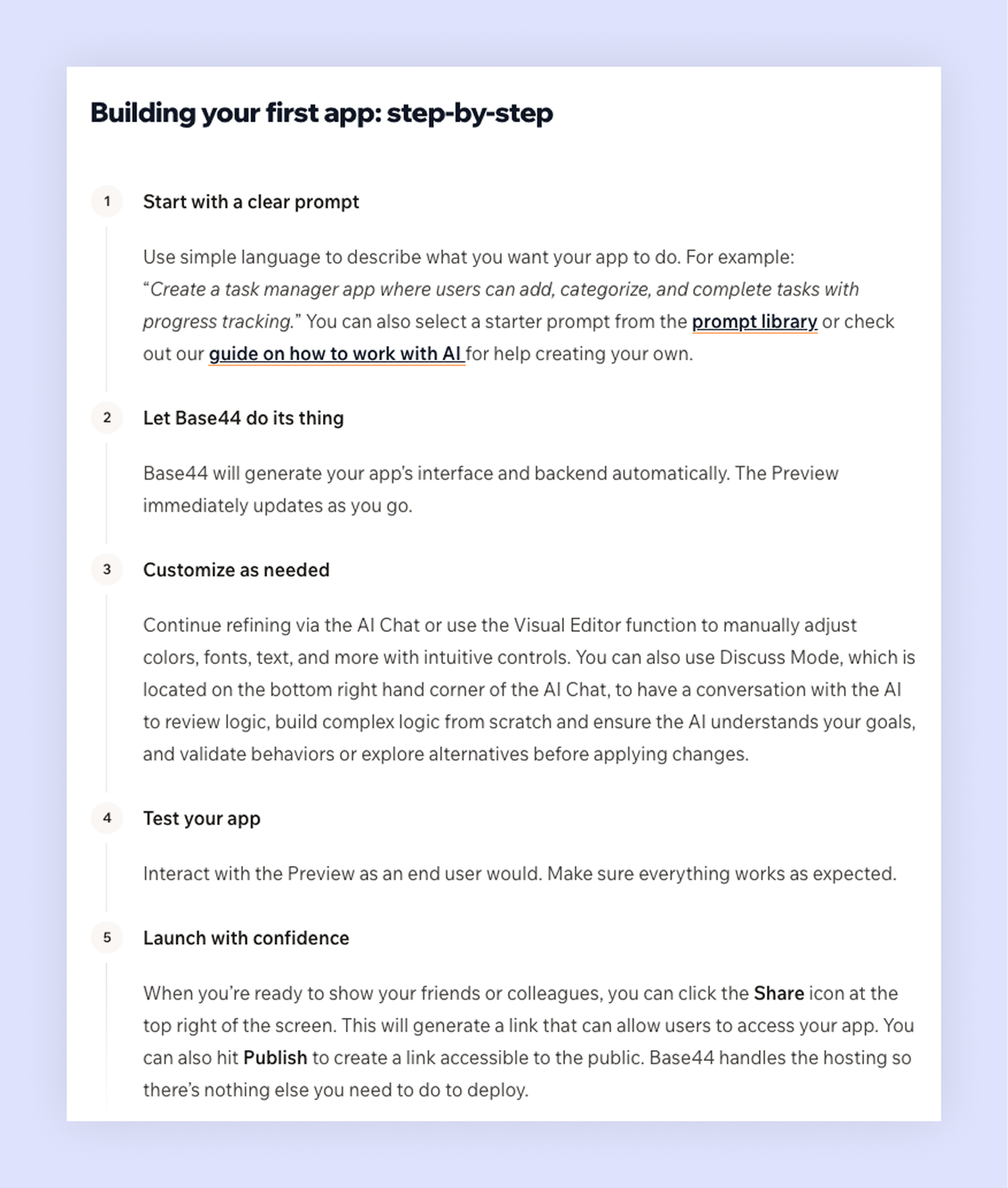
Base44 is designed for near-instant setup. Base44 provides built-in hosting and abstracts much of the operational burden: as soon as you create your app, it’s live, and many infrastructure concerns are handled for you. The platform lets you add integrations or features via prompt or catalog, and it scaffolds corresponding frontend and backend logic (e.g., wiring APIs, database access).
Bolt’s setup resembles a developer environment, albeit simplified. When you open Bolt, you choose from app templates or start from a prompt. Because you’re working with actual code, you may need to configure frameworks or manage environment variables. For developers, this feels familiar; for non-technical users, it can be overwhelming.
Check out the Base44's quick start guide to learn how to secure an app and explore how you can easily go from idea to app in minutes.
02. Technical requirements
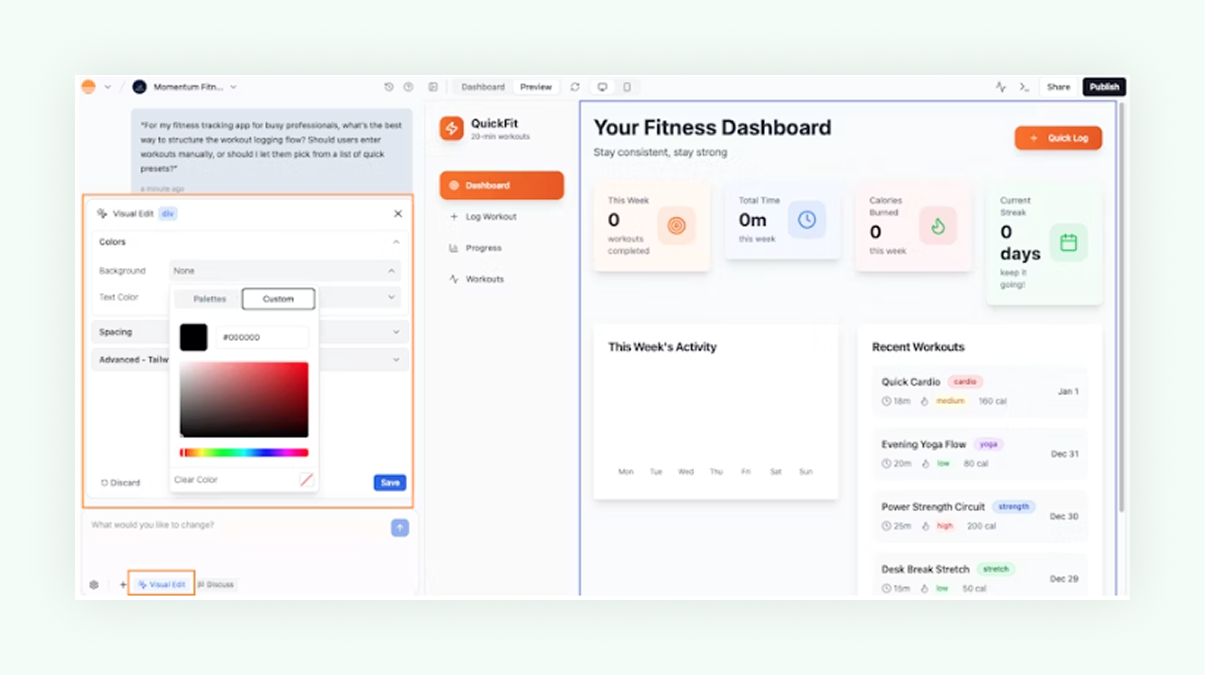
Base44 requires no coding knowledge. Natural-language prompts drive creation and the visual editor handles refinements. The platform abstracts away code and infrastructure app management, letting you focus on describing features and adjusting layout. There is the option to export and tweak generated code, but it’s not necessary.
Because Base44 handles the technical lift, you can spend your time thinking about user experience and business logic rather than syntax. The platform’s side-by-side chat interface lets you refine features in plain language, ask to add a dashboard, update a workflow or change a data model and the system responds instantly.
Bolt targets more developers and technically inclined users. Its value lies in AI assistance: you still write and read code, but the platform can generate functions and suggest fixes. You need to understand programming concepts, frameworks and deployment processes. Bolt’s advantage is speed, experienced coders can build full-stack apps faster than traditional methods, but it’s not a full no-code solution.
Learn how to write AI prompts with the Base44 AI app builder and start turning your ideas into fully functional apps without touching a line of code.
03. Code access
In Base44, code is generated and managed behind the scenes. You can request the source code if you want to export, migrate or customize at a deeper level (available on a Builder plan or higher), but ordinary users interact with the app through visual tools.
Bolt lets you work in a code editor, see the full file structure and modify anything. The AI helps by writing boilerplate and suggesting improvements, but you are primarily in control of the codebase.
“One of the most underrated aspects of Base44 is how it bridges the gap between technical and non-technical teams. A product manager with a good idea can prototype it themselves and then developers can refine and expand it. That kind of collaboration used to take months, it now takes days.” - Ilay Granot, PMM at Base44
04. Version control
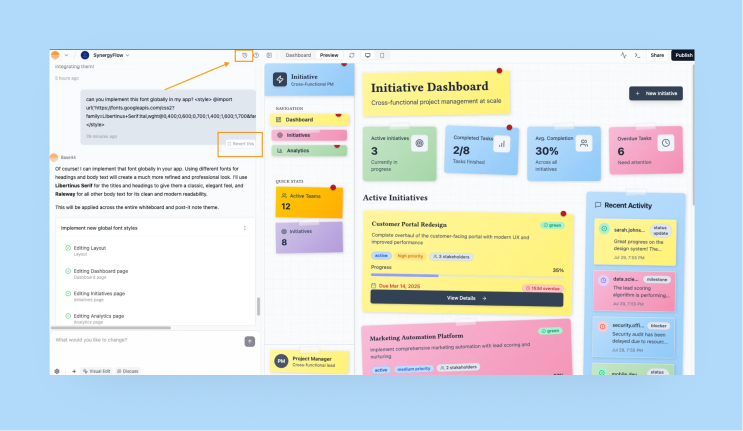
Base44 offers built-in version control suited to no-code workflows. Every change made through the chat or visual editor is saved as a new version. You can revert to earlier versions or branch and experiment without losing work. This encourages rapid iteration without fear of breaking the app.
Bolt integrates with Git for version control, enabling you to connect to GitHub and use branches, commits and pull requests.
"The best apps are built with iteration in mind. You don’t need to launch with every feature under the sun. Start small, test with real users and refine based on feedback. Base44 makes it easy to adapt and evolve your app as you learn." - Ilay Granot, PMM at Base44
05. Authentication
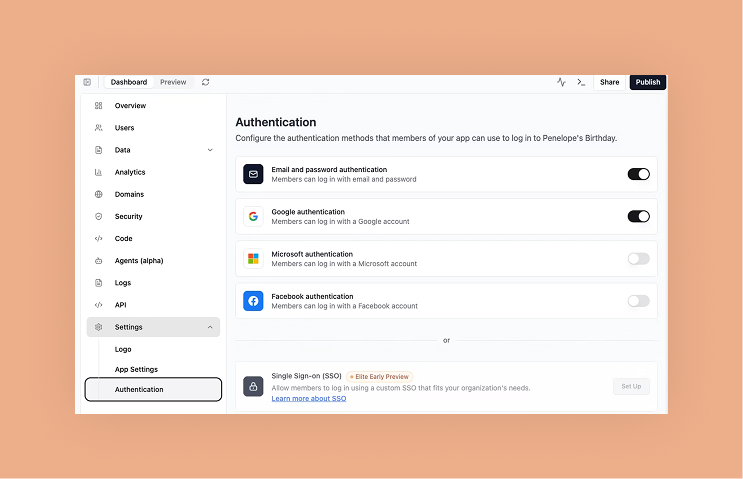
Base44 automatically sets up authentication, including sign-up, login, password resets and role management. You can modify access rules through a visual settings panel. Two-factor authentication and social logins are available as add-ons.
Bolt does not include a proprietary, standalone authentication engine out of the box. Instead, you use integrations (such as Supabase) and configure the authentication flows yourself, connecting your auth project, wiring login/signup logic, and handling credentials and state. While Bolt’s tooling and prompts may help scaffold starter code for authentication, they don’t completely abstract away the setup and customization steps you’ll need to do.
06. Database management
Watch: Base44 Data handling tutorial
Base44 comes with a built-in data layer organized around tables and fields, allowing you to manage structured information such as users, orders, posts, or other content types. Each table includes configurable app security settings, so you can define who has permission to view or modify records, whether that’s the record creator or users matching specific properties. Data can be added, imported, removed, or updated in bulk directly within the platform. For connecting beyond Base44, you can generate API code snippets to read and write data from other apps.
Bolt supports connecting to databases but you’ll have to choose your database (e.g., Postgres, Mongo, etc.) and wire up connections with environment variables and code.
07. UI/UX quality
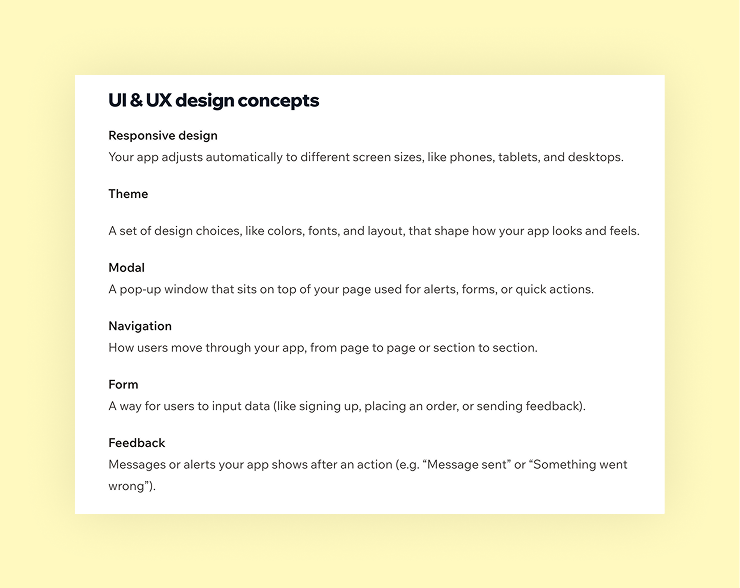
Base44 gives you intuitive design tools so you can shape the look and feel of your app without diving deep into code. You can pick styling templates, adjust colors, fonts, layouts, and apply changes globally or just locally. The platform also supports responsive design: your app auto-adjusts for mobile, and you can preview or tweak styles specifically for smaller screens.
For more control, you can make element-level edits (e.g. change spacing, gradients, backgrounds) and even integrate custom styles like Tailwind CSS. In addition, Base44 supports versioning for design changes, so you can track and revert UI adjustments over time.
Bolt provides a visual / hybrid interface in which you can build and edit your app through both design and code. You work in a dual environment: you can tweak the design (e.g. layout, style) via prompts or visual cues, and you can also dive into the underlying code (React + Tailwind, for example) for deeper customization.
08. Integrations
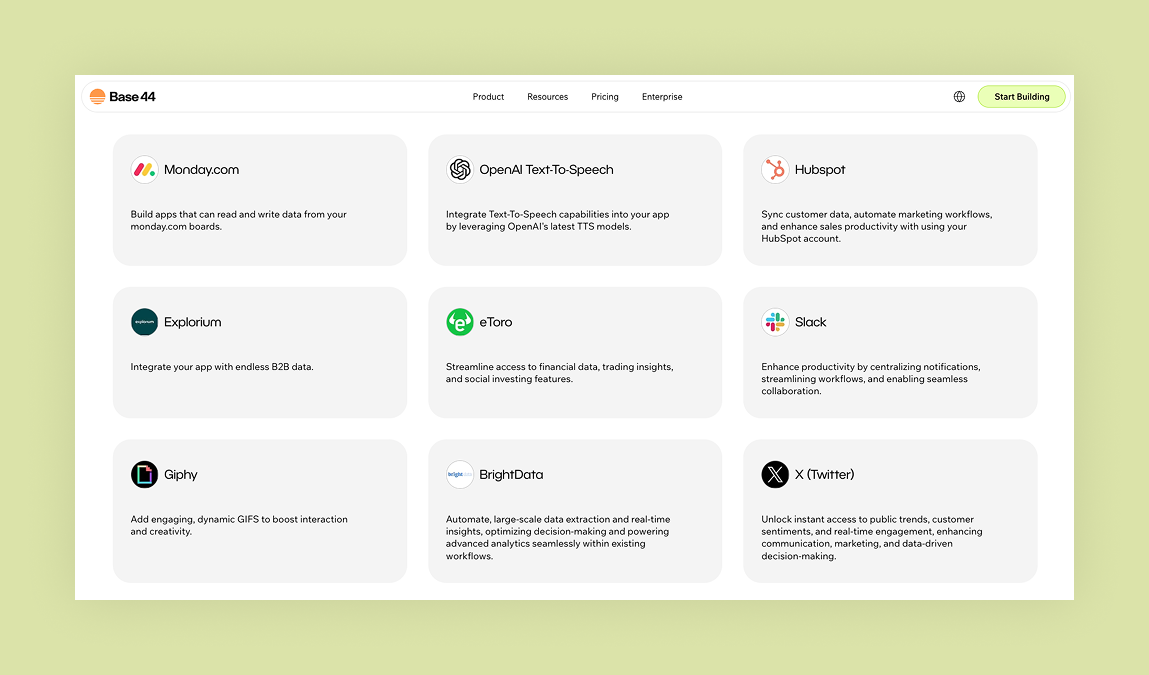
Base44 provides built-in integrations for payments, email notifications, analytics and more. These can be added via the visual editor or through simple configuration. For instance, you can ask the chat to add in a Stripe integration payment block and the platform will automatically generate checkout flows and record transactions in your database. Enabling an email integration sets up SMTP providers, templating and event triggers with minimal configuration.
This is a long article and only part of it is shown here. Read the full article on iCARE.