 Ai Insights
Base44 vs Bubble: how to decide on the best app builder
Ready to see what Base44 can do for you? Get started →
The growth of an AI-powered app builder means teams have more options than ever, but it also means making tougher choices. Base44 and Bubble both promise to turn ideas into working software, yet they take very different paths: one focuses on fully managed, end-to-end app creation, while the other emphasizes flexible visual workflows. Base44 empowers entrepreneurs and teams to ship products fast. Base44 gives users a real-time AI collaborator available at every step.
With the low-code and no-code market forecasted by IDC to grow 37.6% annually through 2028, picking the right platform isn’t just about features, it’s about ensuring your team can move fast, how to build an app with AI and how to secure an app as you scale.
In this guide, we’ll unpack what vibe coding tools are, how the Base44 AI app builder compares with Bubble and which approach fits your goals best.
Explore the best AI app builders and the best vibe coding tools to find the platform that matches your workflow.
TL;DR: Base44 vs Bubble
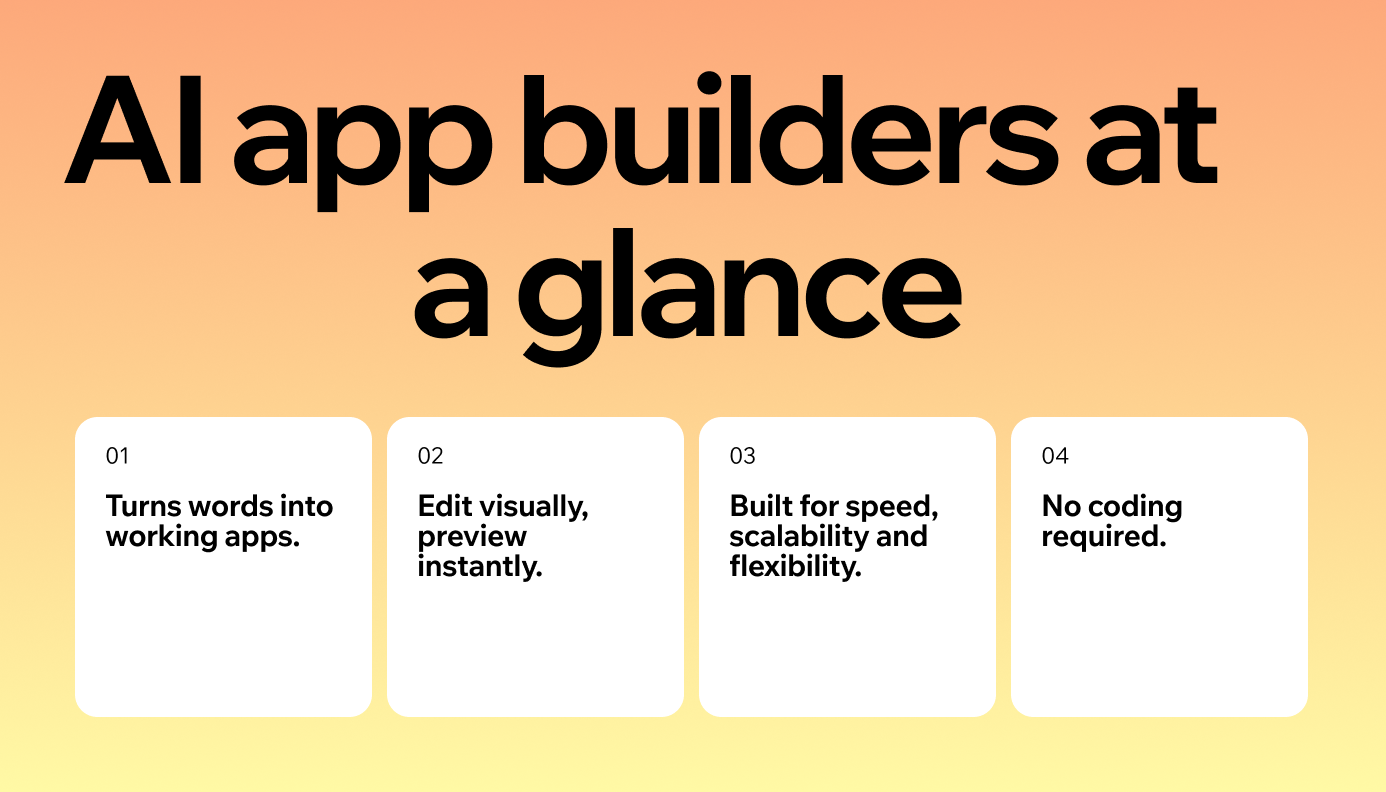
Choosing between Base44 and Bubble comes down to speed versus flexibility. Base44 is a fully managed AI-powered app builder, automating backend, database and hosting so you can focus on features.
Bubble provides a flexible drag-and-drop editor with granular control, but it requires a steeper learning curve. Knowing how to write AI prompts effectively can help you make the most of Base44’s capabilities.
- Base44: Fully managed, AI-driven, no coding required for creating an app.
- Bubble: Visual-first, flexible but requires manual setup and learning.
- Base44: Great for speed, testing and going live quickly.
- Bubble: Better for creators who want design freedom and control.
| Scenario | Best Fit | Why | |---|---|---| | Launching a full app quickly | Base44 | AI handles backend, hosting and data automatically | | Non-technical founder | Base44 | Natural language interface | | Designers who want pixel-perfect control | Bubble & Base44 | Drag-and-drop editor offers deep UI customization. | | Complex workflows or niche features | Bubble & Base44 | Marketplace plugins + API Connector extend functionality | | Teams who may later migrate code | Base44 | Optional source code export for GitHub or self-hosting | | Long-term commitment to Bubble’s ecosystem | Bubble & Base44 | Proprietary engine with strong community and plugin support |
“The future of app building isn’t about replacing developers, it’s about making them faster and more creative. Base44 handles the heavy lifting, so instead of worrying about infrastructure, you’re free to experiment, iterate and build apps that actually resonate with people.” - Ilay Granot, Marketing at Base44
Curious how it stacks up against other platforms? Check out our guides:
Base44 vs Bubble features
Watch: Turn any idea into an app with Base44
Bubble offers visual web development with drag-and-drop editor, workflow builder and plugin ecosystem. Base44 takes a different approach, using AI to generate both front-end and back-end logic from a prompt. Learn more: Why Base44 built its own models
Let’s look at the specifics.
“The best apps don’t just solve a problem, they integrate seamlessly into the user’s life. When you design with real human behavior in mind, adoption becomes natural.” - Nina Boyd, PMM at Base44
- Setup complexity
- Technical requirements
- Code access
- Version control
- Authentication
- Database management
- UI/UX quality
- Integrations
- Pricing
Base44 exists to make building software feel as natural as explaining what you need.
— Maor Shlomo, CEO of Base44
01. Setup complexity
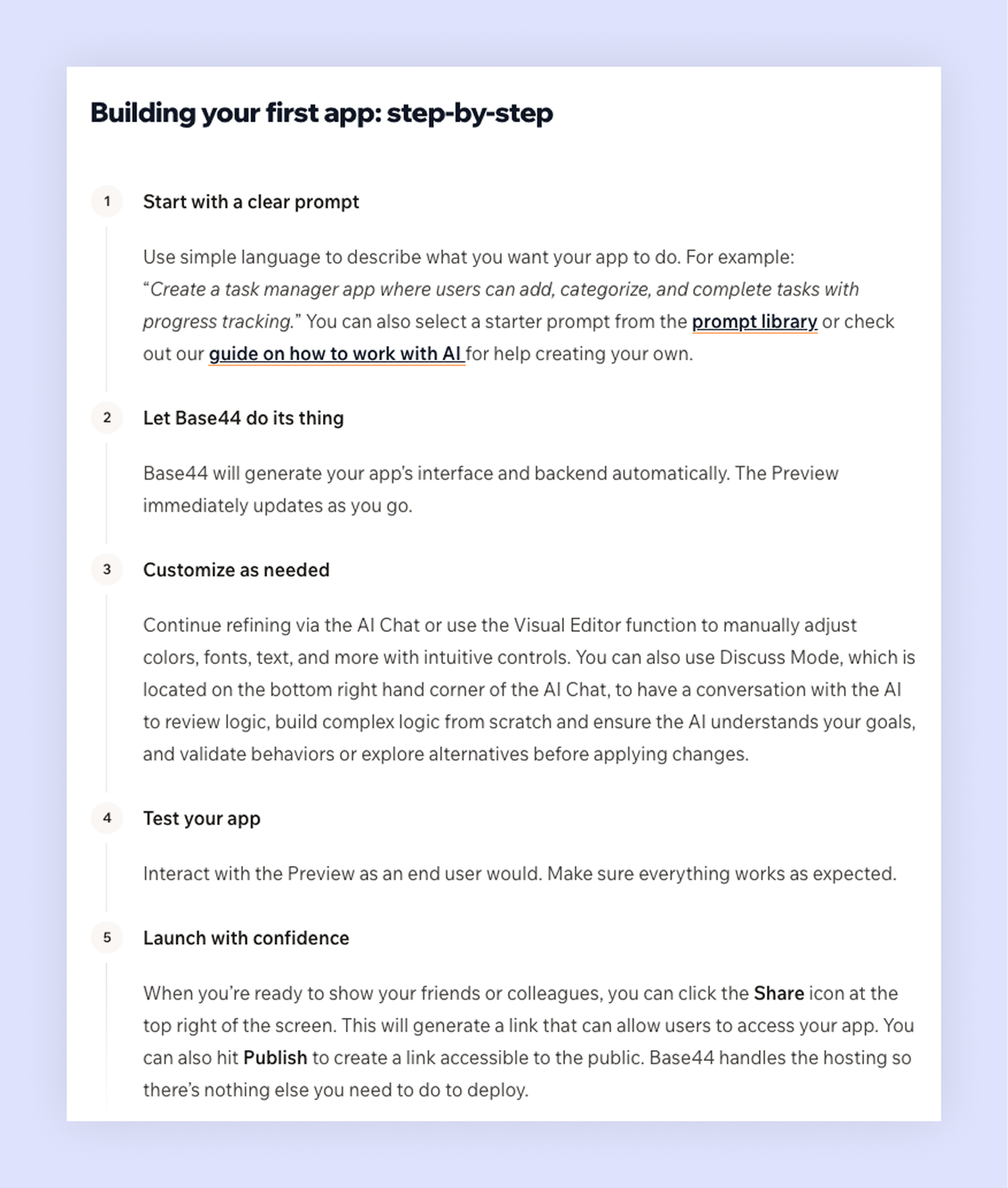
Base44 does all of the heavy lifting behind the scenes. Once you describe your app in a sentence or two and the platform provisions a managed database, configures hosting and scaffolds the pages, navigation and data models.
You never see a server dashboard or a YAML file. Changes you make through the visual editor trigger automated migrations and redeployments, so your infrastructure stays in sync with your design. Because everything runs on Base44’s cloud, you can immediately preview your app, test different flows and iterate without ever downloading software.
Bubble asks you to assemble the moving parts yourself. After selecting a blank canvas or template, you lay out pages with a drag-and-drop interface, define data types and fields and build workflows that tie UI events to database actions.
Bubble does host your app on its infrastructure, but each element, like forms, buttons, data types and privacy rules must be created and configured manually. For creators willing to invest time in learning the editor, this offers enormous flexibility. For newcomers, it introduces a learning curve: you must understand when to use a workflow, how to create a custom state and how to connect elements across pages.
Check out the Base44's quick start guide to learn how you can easily go from idea to app in minutes.
02. Technical requirements
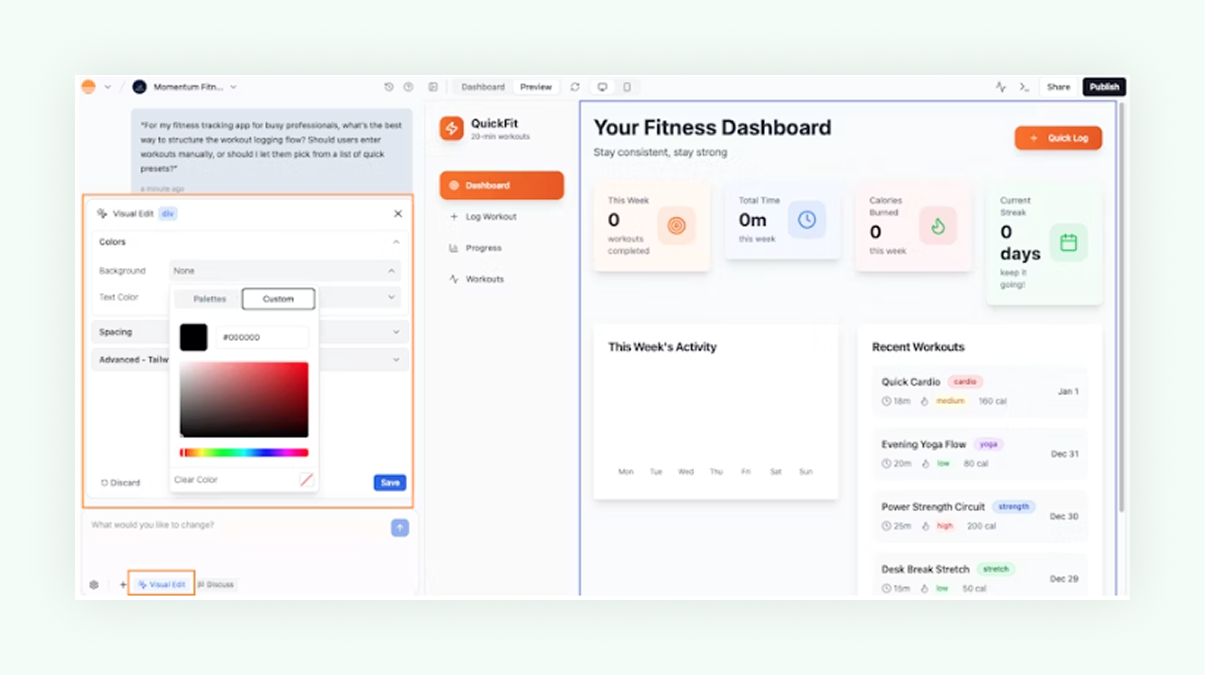
Base44 doesn’t require coding skills. You describe what you want in natural language and the system builds it, while the visual editor lets you polish details. All the complexity of code and infrastructure is handled in the background, so your focus stays on features and layout rather than setup.
If you want, you can export the generated code for deeper customization, but it’s entirely optional. Since Base44 takes care of the heavy technical work, you can dedicate your attention to user experience and business logic instead of syntax. Its side-by-side chat interface makes refinement simple: just ask in plain language to add a dashboard, adjust a workflow or modify a data model and the changes appear instantly.
While Bubble promotes itself as a no-code platform, building functional apps requires understanding its core development construct, defining data types and fields, setting workflows for UI actions and configuring privacy rules.
Bubble doesn’t require JavaScript for most features, but advanced needs such as custom scripts, REST API calls via the API Connector or plugin development do require programming knowledge.
Learn more:
03. Code access
Base44 hides code and infrastructure complexity until you decide to export. With built-in tools, you can export your complete project as a ZIP or directly push it to GitHub on a Builder plan or higher, enabling developers to access the full codebase outside the platform.
Bubble keeps its source code under the hood. Your application logic, UI definitions and database schema reside on Bubble’s proprietary engine. You can export your data through CSV or integrate third-party APIs via connectors.
“One of the most underrated aspects of Base44 is how it bridges the gap between technical and non-technical teams. A product manager with a good idea can prototype it themselves and then developers can refine and expand it. That kind of collaboration used to take months, it now takes days.” - Ilay Granot, Marketing at Base44
04. Version control
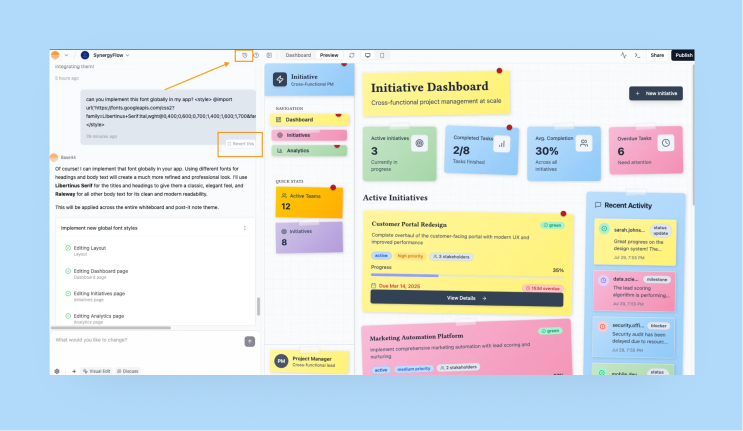
Base44’s version control works more like a continuous history. Every tweak like changing a label, adjusting a table structure or adding a new page is captured in sequence. You can view a timeline of changes and revert to any previous state with a single click.
Bubble provides three environments: development, test and live. These allow you to stage and deploy updates. You can push changes from development to live when you’re satisfied. If multiple people are working on different features, they must coordinate to avoid overwriting each other’s changes
05. Authentication
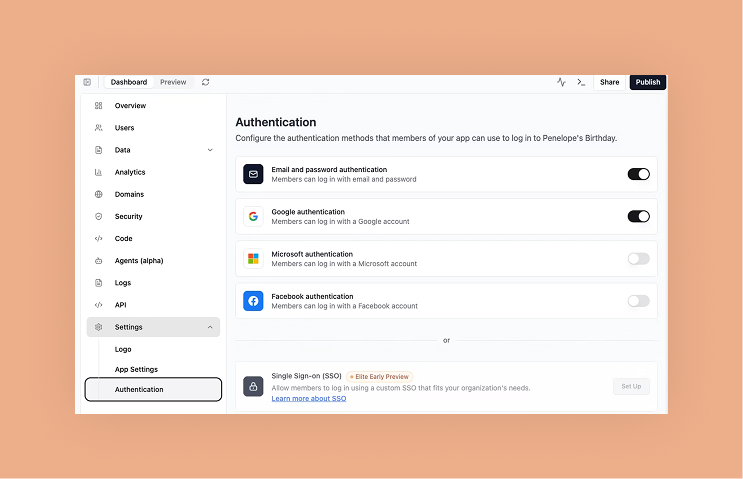
Base44 builds a robust authentication system whenever your app involves users. It generates secure sign-up and login pages, password reset flows, email verification and session management. You can define roles (e.g., admin, editor, viewer) and assign permissions to data and pages through an intuitive panel. Social logins (Google, Facebook, GitHub) and two-factor authentication can be enabled with a few clicks.
Bubble offers a comprehensive set of authentication tools, but setting them up requires intentional configuration. You place login, sign-up and “Create an account” elements onto your design canvas and then link them to workflows that manage user registration, login and password reset logic. For social logins or single-sign-on (SSO), Bubble supports integration via plugins such as Facebook, Google or WorkOS.
06. Database management
Watch: Base44 Data handling tutorial
Base44 treats data modeling as part of your conversation. If you describe “a catalog of products with names, prices and categories,” the platform creates a products table with appropriate fields and links it to a categories table behind the scenes. You can add validation rules like ensuring prices are positive or emails are unique and the platform enforces them automatically.
When you add or remove fields, Base44 migrates the database and updates the API endpoints so your UI stays in sync. Backups, scaling and indexing happen transparently; you don’t decide on database engines or worry about performance tuning.
Bubble gives you a flexible visual database builder. You define data types (equivalent to tables), fields (columns) and relationships (for example, a list of things referencing another data type). This allows intricate data structures, such as nested lists or bidirectional references. Workflows handle CRUD operations and you can specify which privacy rules apply.
Whether you choose automation or hands-on setup, knowing the best practices for managing your app ensures it stays secure, scalable and ready to grow.
07. UI/UX quality
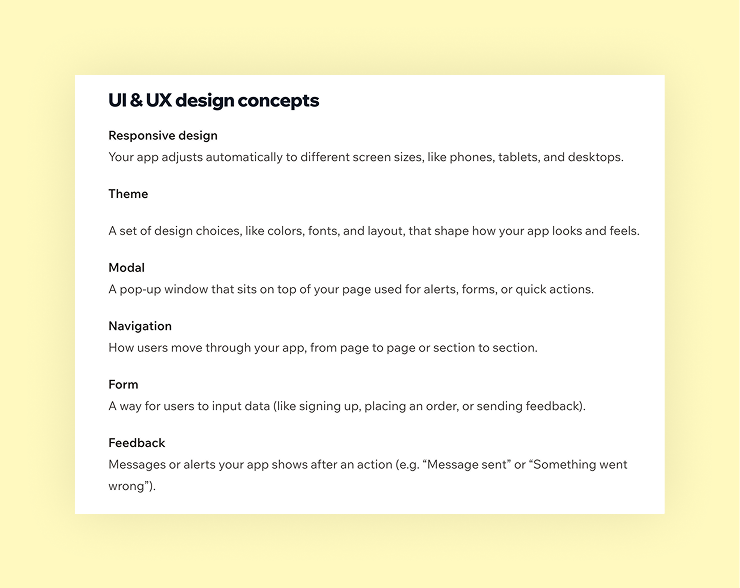
Base44 delivers working user interfaces quickly. The AI generates pages with clean layouts, responsive grids and accessible components. Interactions such as clicking a button to save data or selecting a record to view details are wired up automatically because the UI is aware of the data model and logic. Once the basics are in place, you can refine spacing, typography and color palettes through the visual editor.
Bubble prides itself on granular design control. Its editor resembles a graphic design application: you can drag elements to exact positions, set margins and padding down to the pixel, define custom breakpoints for responsive layouts.
08. Integrations
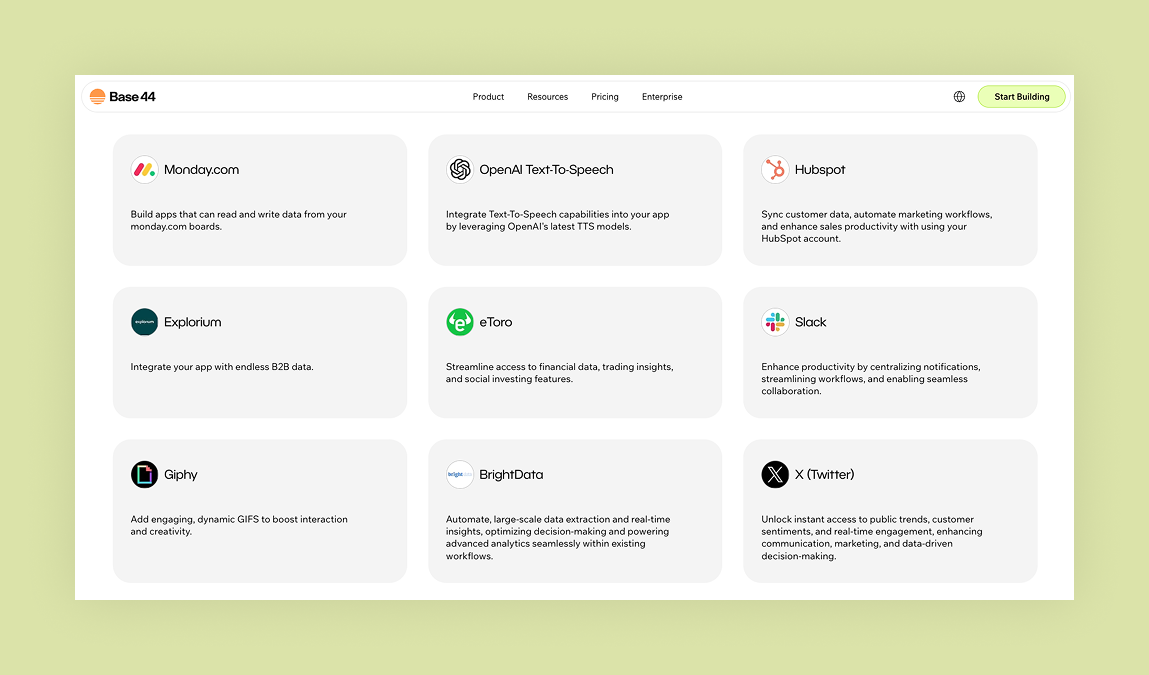
Base44 comes with pre-built integrations for payments, email, analytics and other core services that can be enabled via the chat. For example, asking the chat to add a Stripe payment integration block will generate full checkout flow and log transactions in your database automatically. If you want to go beyond the built-in options, Base44 also supports webhooks and REST APIs to connect with external systems.
Bubble’s integration strategy revolves around its plugin marketplace and API connector.
The marketplace includes hundreds of plugins for services like Stripe, Google Maps, Algolia and Zapier. For services without a plugin, the API connector lets you define REST calls, specify endpoints, headers, parameters and authentication, then map responses to data fields.
Learn more:
09. Pricing
Base44’s pricing, shown as annual rates. Monthly plans are also available:
This is a long article and only part of it is shown here. Read the full article on iCARE.